What Is a Key Digital HDMI Extender and How Does It Work?
As 4K displays enter classrooms, boardrooms, hotels, and homes, reliable signal distribution matters more than screen size. A Key Digital Hdmi Extender sends HDMI audio and video across longer distances, usually through Cat6 cable, fiber, or an IP network. It uses a transmitter and receiver pair. The transmitter converts the source signal, while the receiver reconstructs it near the display. A black screen often reveals the real problem: distance, cable quality, power, or incompatible HDCP settings.
Market research reflects this shift. MarketsandMarkets estimates that the global AV-over-IP market could grow from about USD 3.3 billion in 2023 to USD 6.4 billion by 2028. Grand View Research also reports continuing growth in professional audiovisual equipment and digital connectivity. These figures do not measure every HDMI extender directly, so they should not be treated as perfect predictions. Still, they show why scalable signal infrastructure attracts investment.
Mike Tsinberg, founder of Key Digital, is widely associated with practical AV engineering. His guiding principle is often expressed this way: “The best technology is the technology that solves the customer’s problem.” That idea fits HDMI extension well. A good system should deliver stable 4K video, clear audio, and manageable installation costs. It should also explain its limits honestly. Cable length, refresh rate, compression, and HDCP support can change the result. This guide examines how a Key Digital Hdmi Extender works, where it performs strongly, and where installers may need to reconsider their design.
What Is a Key Digital HDMI Extender?
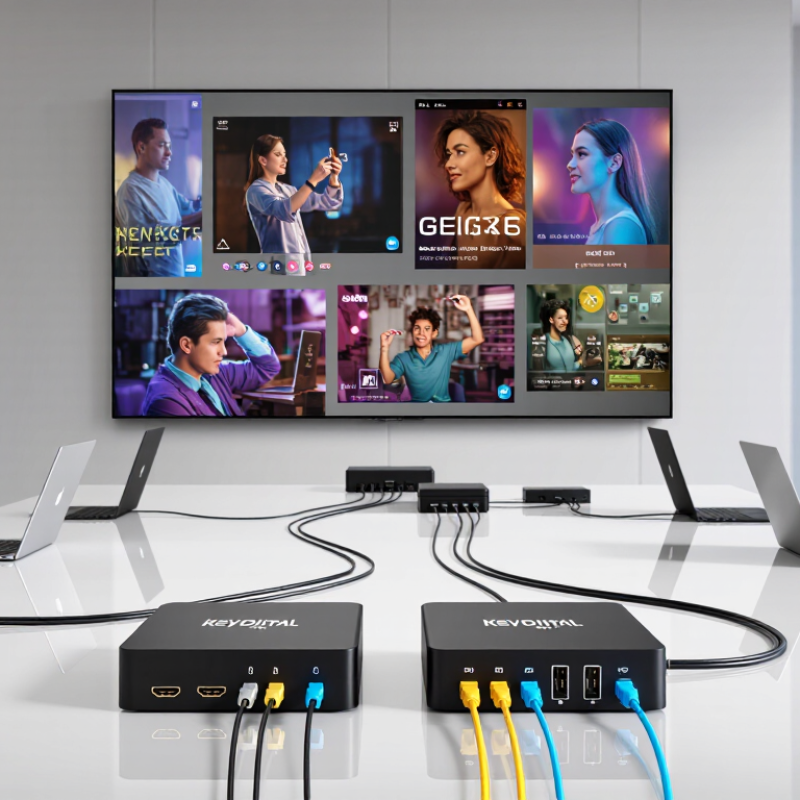
A key digital HDMI extender is a device that carries high-definition audio and video beyond HDMI’s usual cable distance. It uses a transmitter, a receiver, and often one Cat 5e, Cat 6, or fiber cable. The transmitter connects to the source, such as a media player. The receiver sits near the display. Signals travel between them with less loss than a very long HDMI cable. Many models also pass control signals, allowing one remote to operate equipment in another room.
The technology fits the growing need for reliable audiovisual distribution. A 2024 MarketsandMarkets report estimated the global AV-over-IP market could grow from about $3.3 billion in 2023 to $5.9 billion by 2028. That growth reflects wider use in classrooms, offices, retail spaces, and homes. In practice, performance depends on resolution, refresh rate, cable quality, and network design. A device rated for 4K may not support every 4K format. That detail is easy to overlook. It can cause black screens or unstable images.
Tips: Check the extender’s maximum resolution, refresh rate, HDR support, and distance rating. Use tested cables and avoid sharp bends. For network-based models, confirm bandwidth before installation. HDMI’s official organization reports more than 10 billion HDMI-enabled products shipped worldwide, yet compatibility problems still occur. A small test setup first can prevent expensive rework.
What Is a Key Digital HDMI Extender and How Does It Work?
| Extender Type | How It Works | Typical Reach | Signal and Latency | Common Uses | Important Considerations |
|---|---|---|---|---|---|
| HDMI over Category Cable | A transmitter converts the HDMI signal for transmission over one or more Cat5e, Cat6, or higher-rated cables. A receiver converts it back to HDMI at the display. | Often tens of metres; some systems are designed for runs around 100 metres. The supported distance depends on the extender, cable, resolution, and refresh rate. | Can carry high-definition video and audio. Latency is generally very low, but capabilities vary by system. | Conference rooms, classrooms, home-theatre installations, and digital signage. | Use the cable type and wiring layout specified by the extender. Some systems require a direct cable run and may not work through network switches. |
| HDMI over Fiber Optic | Transmitter and receiver units convert the signal for transport through optical fiber, then convert it back to HDMI. | Can support long runs, commonly from tens to hundreds of metres depending on the equipment and fiber. | Suitable for long distances and environments where electrical interference may be a concern. Latency is typically very low. | Large venues, control rooms, auditoriums, and installations with long cable paths. | Check fiber type, connector compatibility, supported video formats, and whether the system uses one-way or bidirectional communication. |
| Wireless HDMI | A transmitter sends video and audio wirelessly to a receiver connected to the display. | Usually intended for room-scale distances; actual range varies with walls, interference, and line of sight. | May introduce more latency or occasional signal interruptions than a wired connection. Performance depends on the wireless system and surroundings. | Temporary presentations, rooms where running cable is difficult, and flexible device placement. | Check line-of-sight requirements, wireless congestion, supported resolution, and whether the delay is acceptable for gaming or interactive use. |
| Active HDMI Cable | Electronics built into the cable boost or condition the HDMI signal over a longer distance than a typical passive cable. | Varies by cable design, resolution, and refresh rate; follow the cable's stated maximum length. | Provides a direct cable connection. Some active cables are directional and must be installed source-to-display in the correct orientation. | Installations that need a simple, single-cable connection without separate transmitter and receiver boxes. | Confirm direction, power requirements, connector fit, and compatibility with the source and display before installation. |
| HDMI Extender with EDID and HDCP Support | Many transmitter-and-receiver systems also pass or manage EDID and HDCP information so source devices can identify display capabilities and protected content can be handled. | Reach depends on the transport method and extender model. | Video format support and reliable content playback depend on compatibility across the source, extender, and display. | Multi-display setups, presentation systems, and installations involving protected video. | Check the supported HDMI version, resolution, refresh rate, HDR formats, audio formats, and HDCP version across all connected devices. |
An HDMI extender moves audio and video beyond the practical reach of a standard HDMI cable by transporting the signal over another medium. Maximum distance and supported formats are product-specific, so verify the extender specifications and cable requirements before installation.

 Phone
Phone WhatsApp
 Email
Email
Offer Electronics Manufacturing All-in-One
PCBONLINE® is a registered trademark or service mark of pcb online limited or its affiliates.
Copyright © 2001-2024 Pcb Online Limited. All rights reserved